Are you an HVAC or appliance repair business owner looking to enhance your online presence and reach more potential customers? You’re in the right place! This comprehensive guide will walk you through the process of adding your business to Cylex or claiming an existing listing on the Cylex business directory, specifically tailored to HVAC and appliance repair businesses.
While our primary focus is on Cylex US, the process is quite similar worldwide, whether you’re in Canada (cylex-canada.ca), the UK (cylex-uk.co.uk), or Australia (cylex-australia.com). Cylex operates globally, connecting businesses with local customers through their directory listings. Let’s get started with our step-by-step guide.
Adding a New Business Listing to Cylex for HVAC and Appliance Repair Services
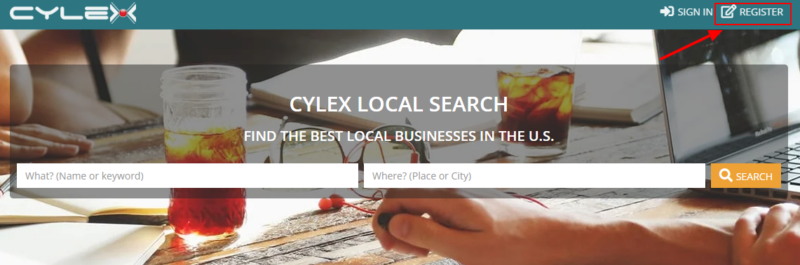
Visit the Cylex Website: To begin, go to the Cylex US website at https://www.cylex.us.com/ (or the equivalent for your region).
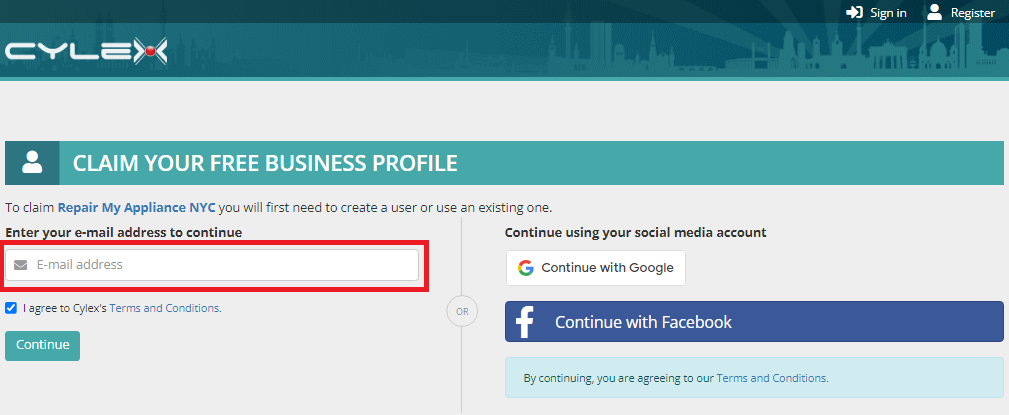
Register or Log In: If you already have a Cylex account, log in. If not, click on the ‘Register’ button to create an account.
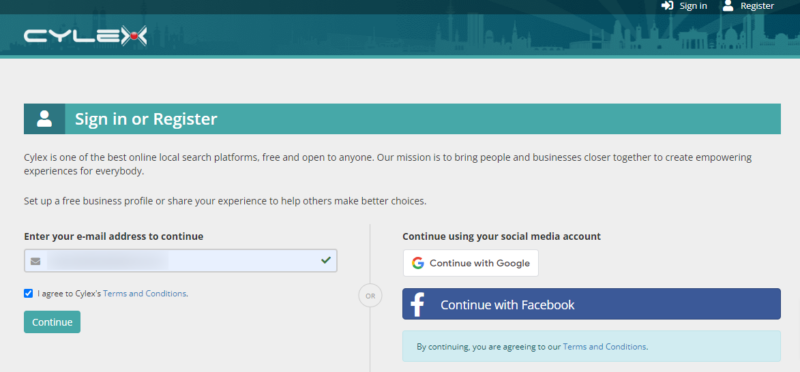
Email Address: Provide your business email address (we recommend using the one associated with your business website URL). Alternatively, you can sign up using your Google or Facebook accounts.
Accept Terms and Conditions: Make sure to review and agree to the Terms and Conditions before proceeding.
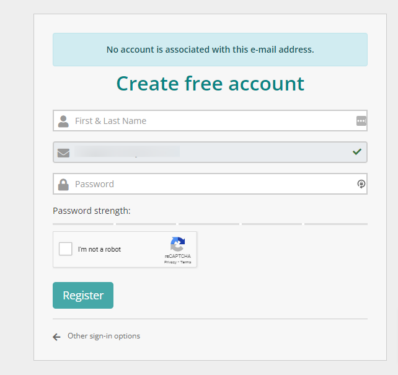
Complete Your Account: Enter your name and create a password.
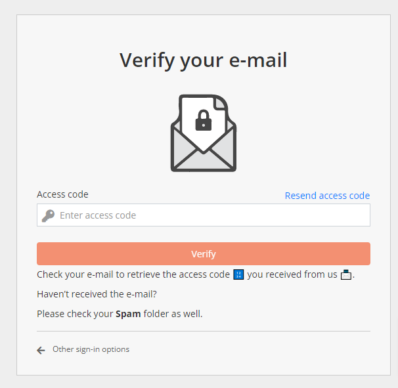
Verify Your Email: Cylex will send a verification code to your email. Enter this code on the screen to confirm your email address.
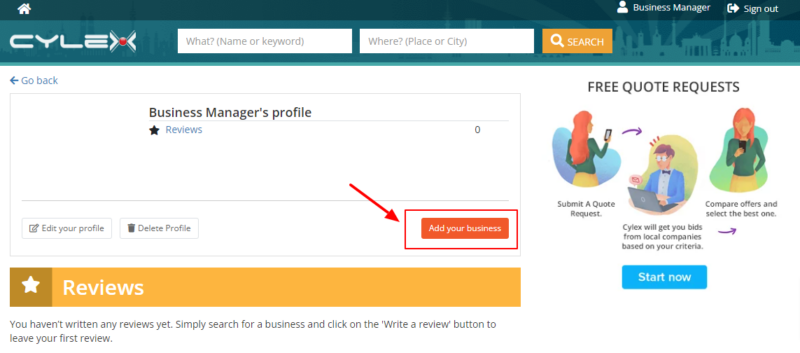
Access Your Account: Once verified, you’ll be redirected to your account page. To add your HVAC or appliance repair business, click the “Add your business” button.
Provide Business Information: Follow these steps:
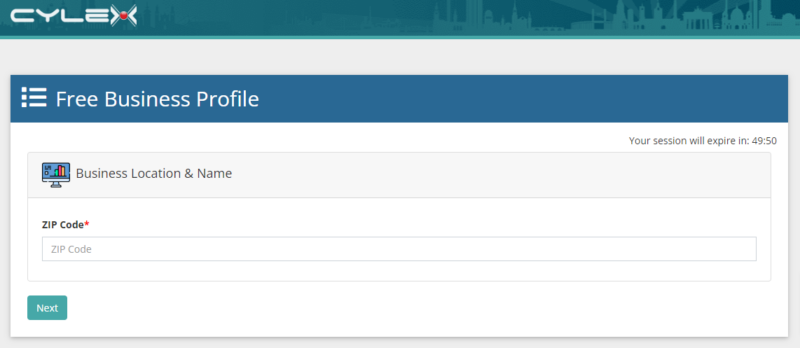
Start by entering your zip code.
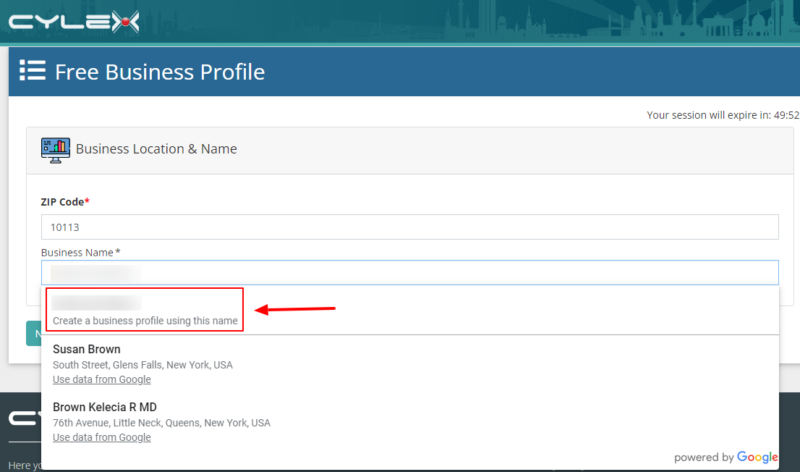
As you type your business name, suggestions may appear. If none match your business, select the option to create a business page using the name you entered.
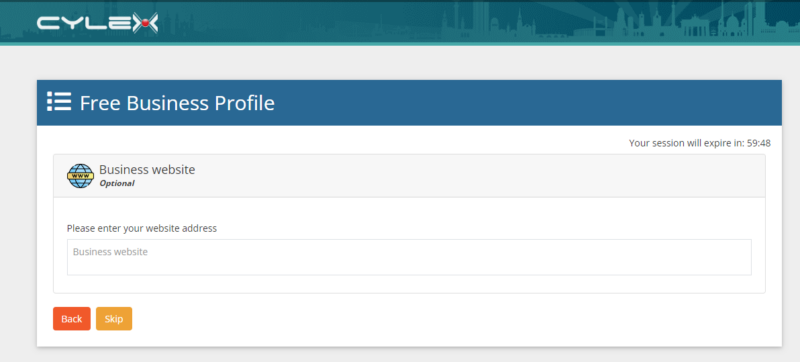
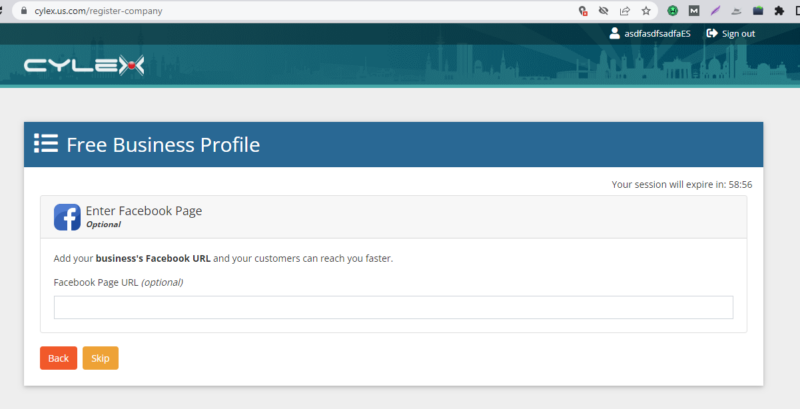
You can optionally add your website URL and Facebook page.
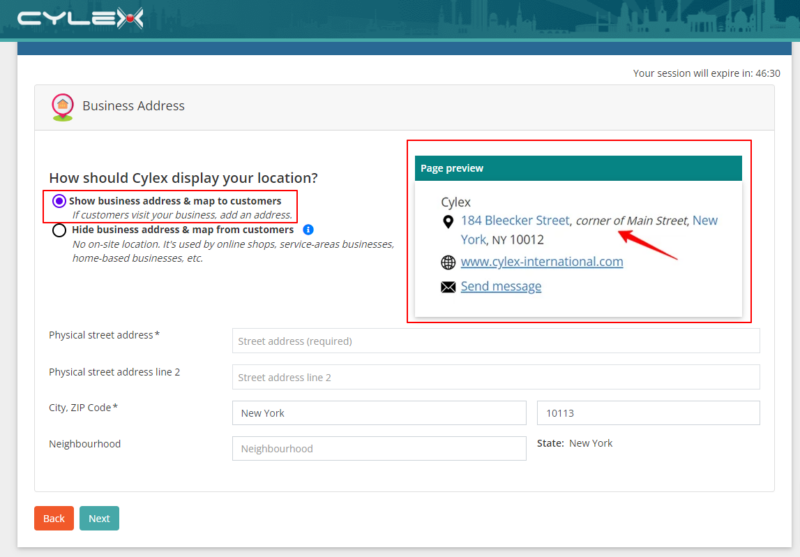
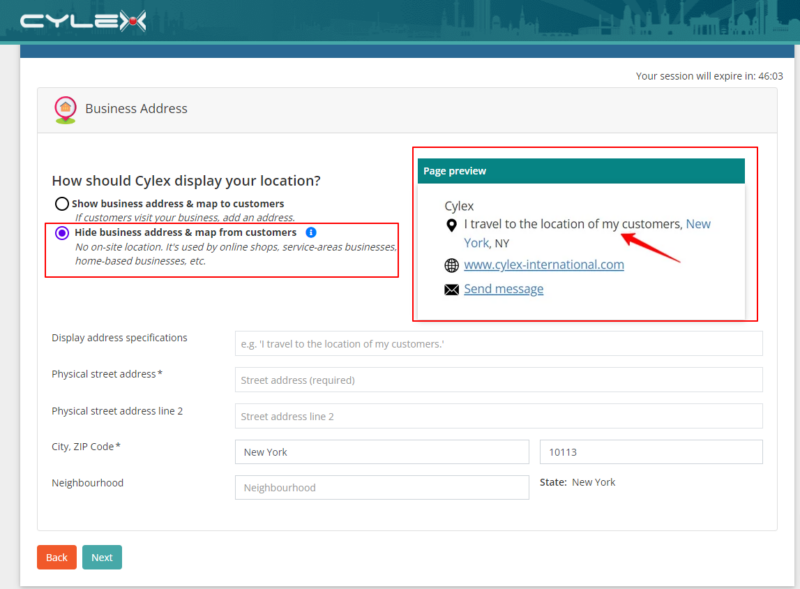
Choose whether to display your full address on the listing or hide it.
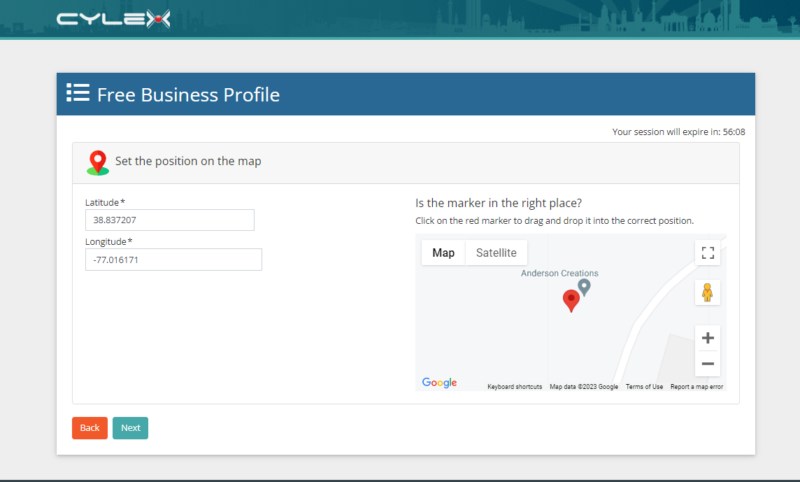
Add your address, and review the location’s coordinates. Adjust them if necessary by dragging the map pin.
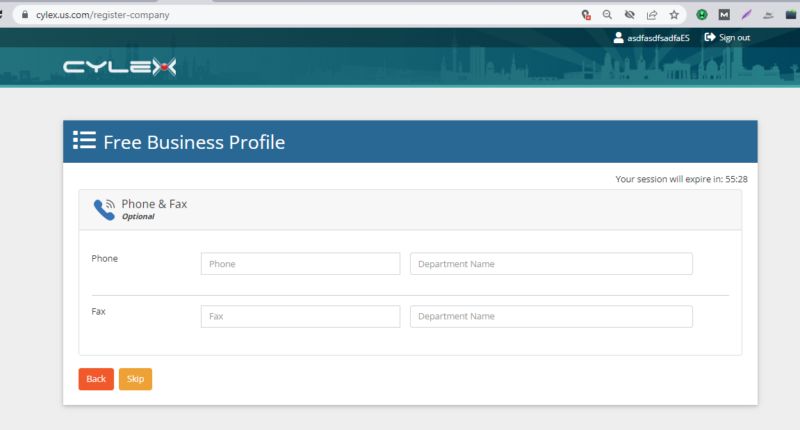
Include your phone number (optional).
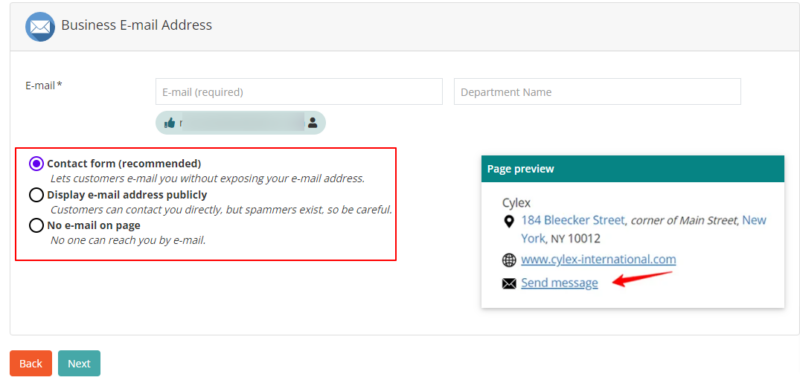
Decide whether to display your business email.
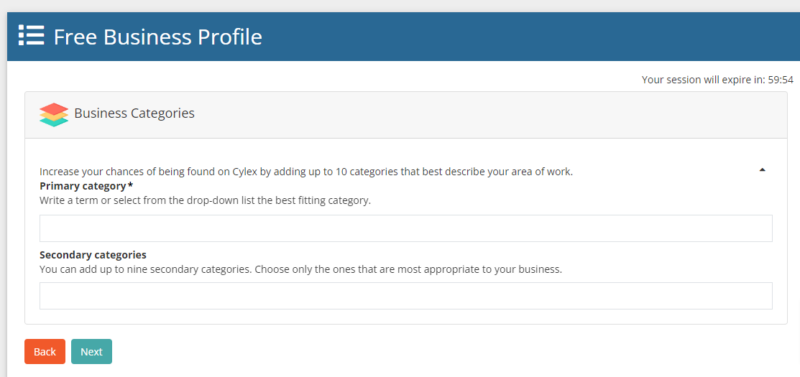
Select primary and secondary business categories relevant to HVAC and appliance repair.
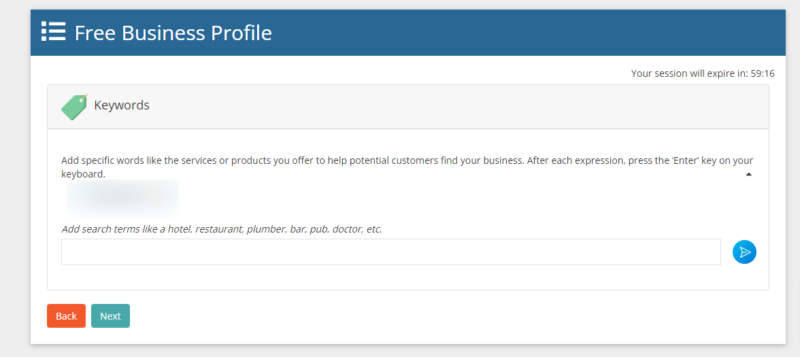
Add keywords describing your services or products.
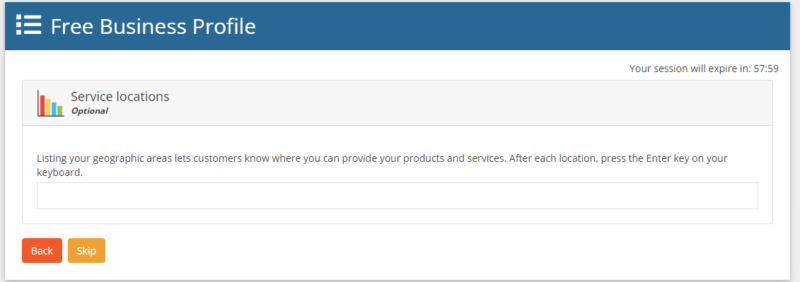
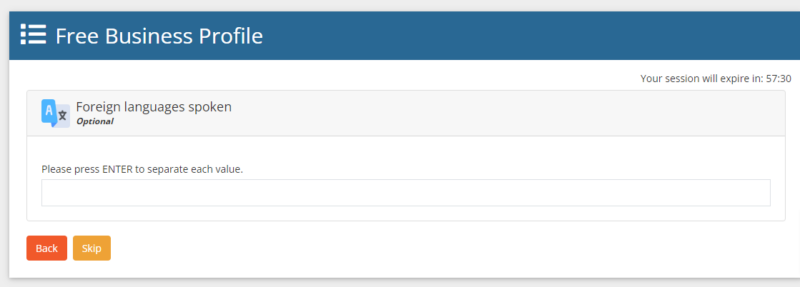
Specify areas you cover and languages spoken (optional).
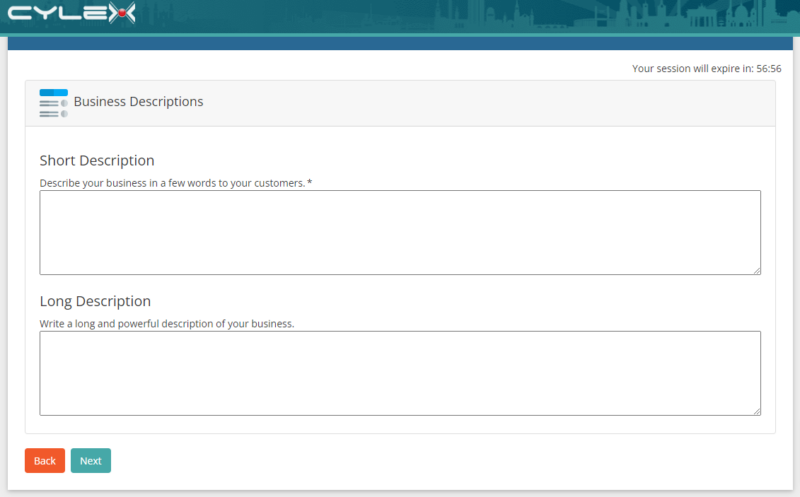
Provide business descriptions, including a short mandatory description.
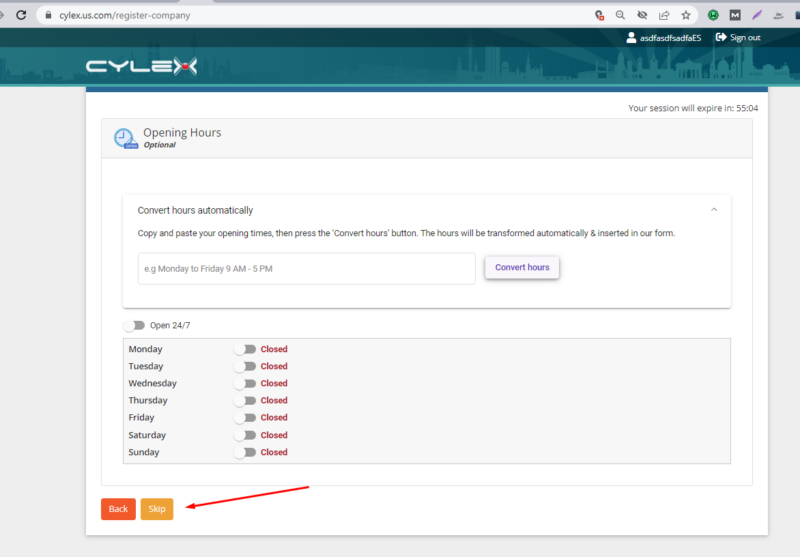
Share your opening hours.
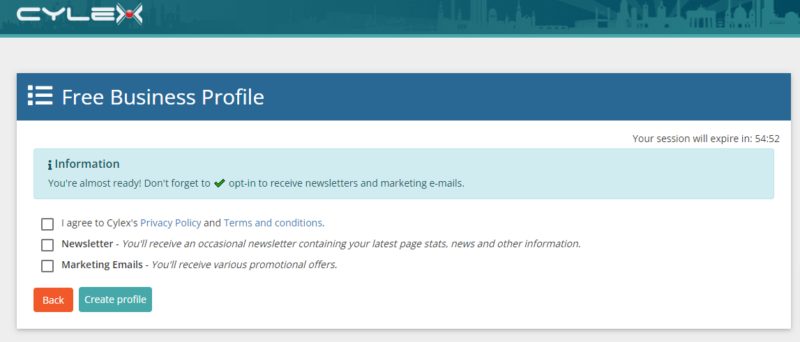
Agree to the Terms and Conditions.
Click “Create profile” to complete your business profile on Cylex.
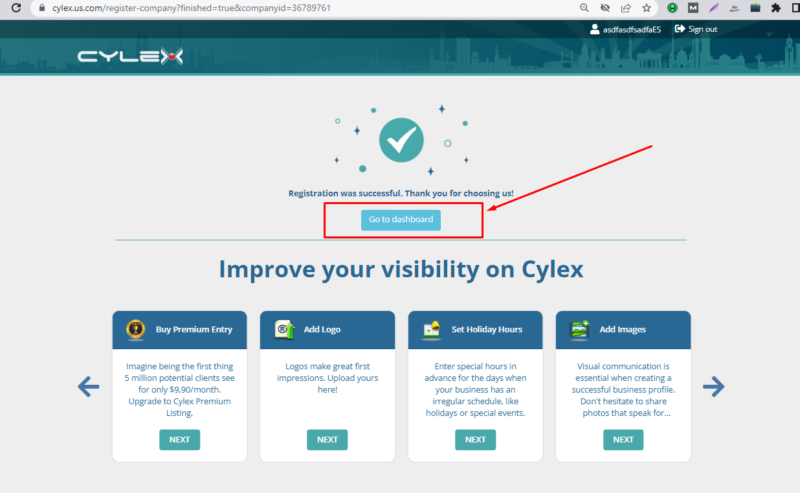
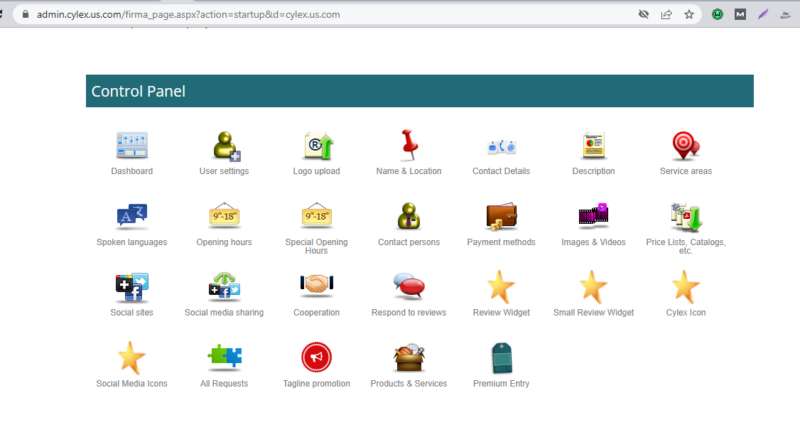
Access Your Dashboard: Click “Go to dashboard” to explore additional features and manage your listing.
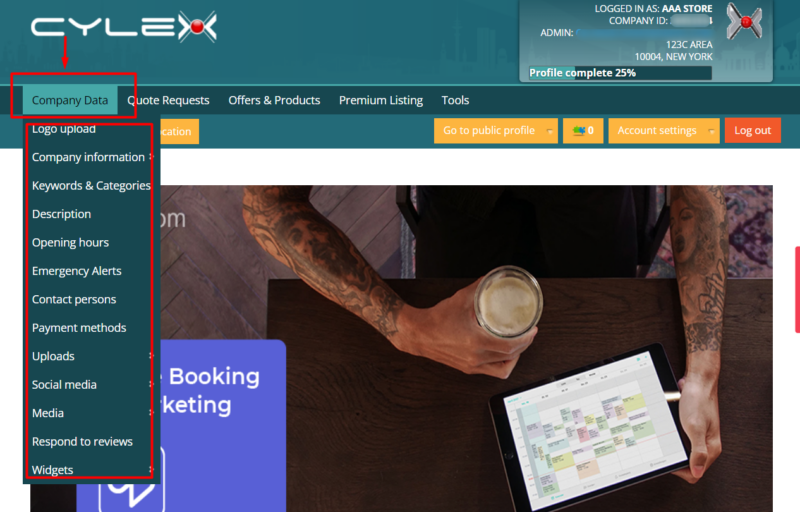
You can also access this section from the main page (when logged in) by clicking “Company Data” on the top left and selecting the section you need to update.
Claiming an Existing Cylex Business Listing for HVAC and Appliance Repair Services
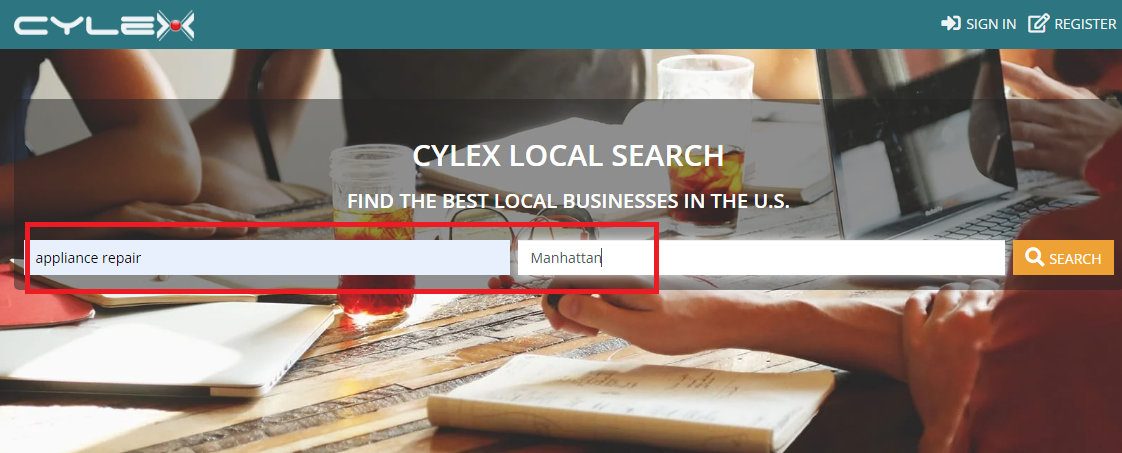
Search for Your Business: Visit https://www.cylex.us.com/ (or your regional equivalent), and enter your business name, city, and state in the search fields. Click ‘Search.’
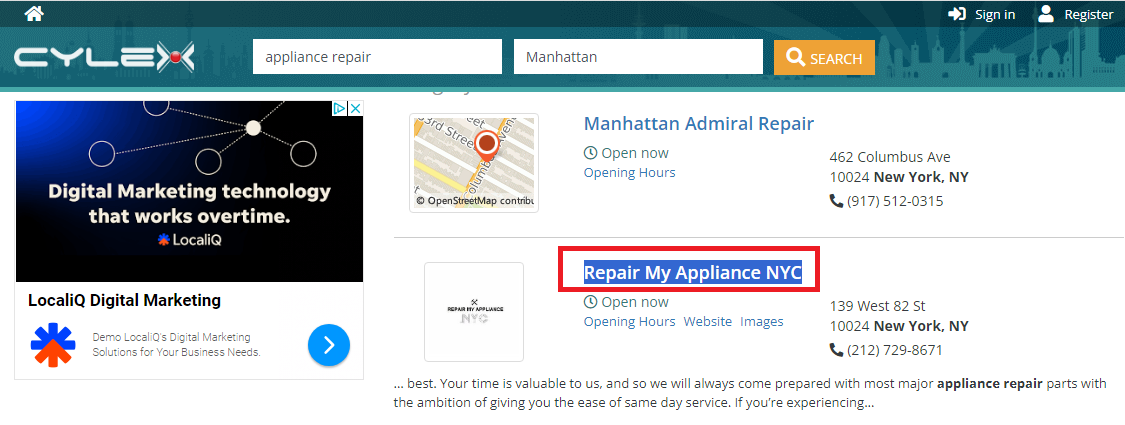
Select Your Business: If you find an existing listing for your HVAC or appliance repair business, click on the business name.
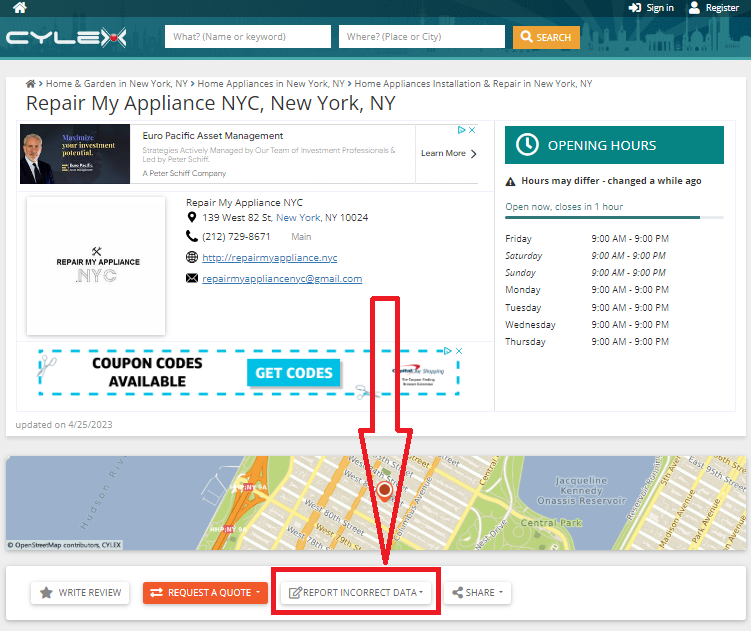
Report Incorrect Data: On the profile page, click ‘Report Incorrect Data.’
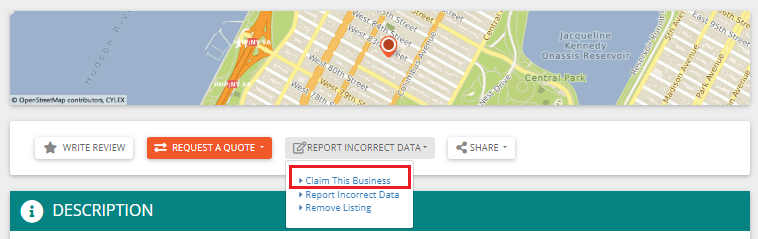
Claim This Business: Select ‘Claim This Business.’
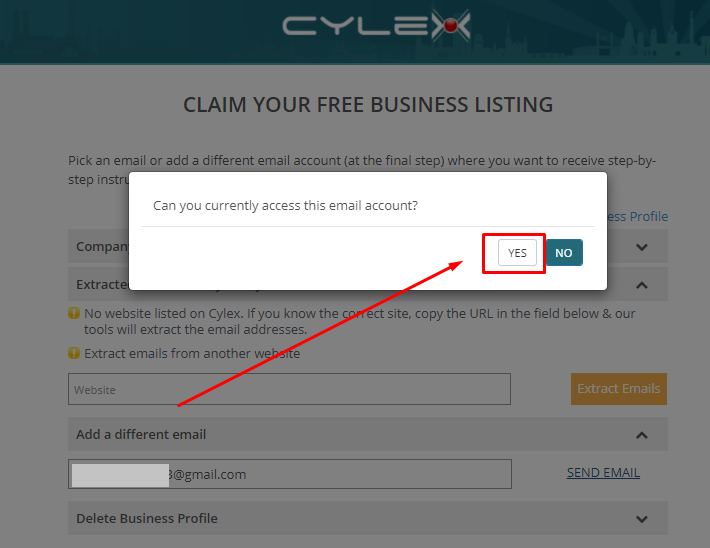
Submit Your Claim: You’ll see options to claim your listing by Company Email, Website, and an alternative email. Fill in the alternative email and click “Send email.”
Email Verification: When prompted, confirm that you can access the email account by clicking ‘Yes.’
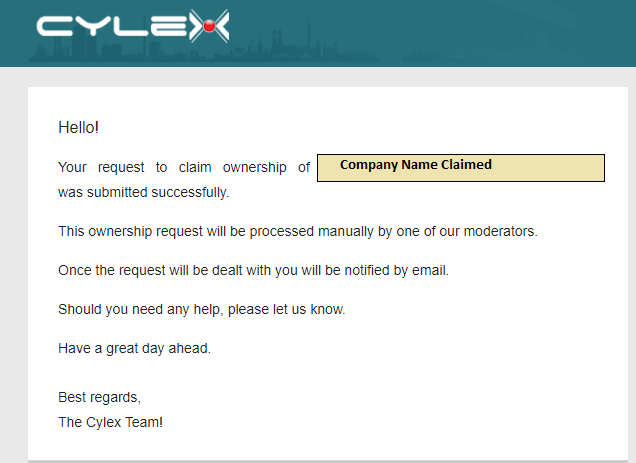
Confirmation Email: You’ll receive an email confirming the submission of your claim. Note that this doesn’t mean the claim is approved yet.
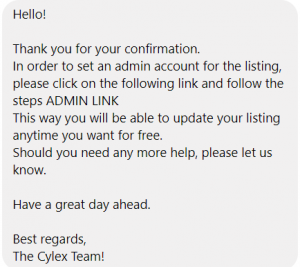
Approval and Admin Link: Once approved, Cylex will send a confirmation message. Click on the ‘Admin Link’ (for US directory) to access your listing.
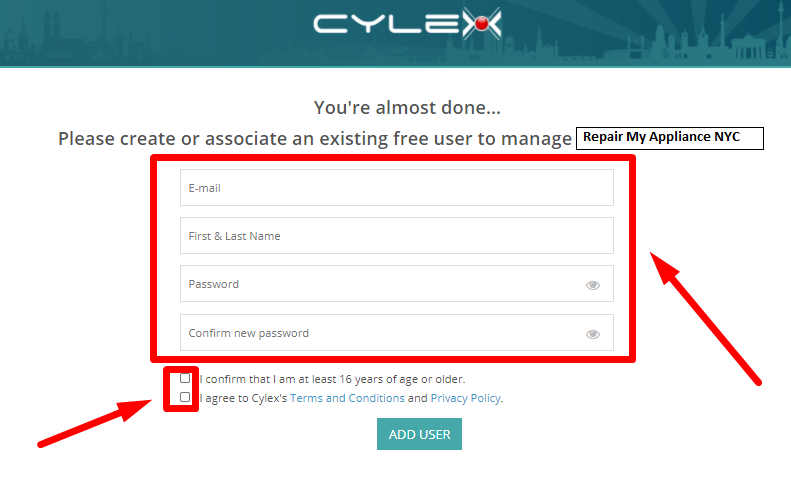
Manage Your Listing: Fill in the required details and check the boxes to confirm your agreement with the terms and conditions. Then, click ‘Add User.’
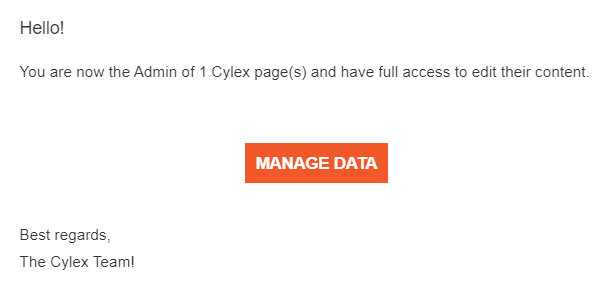
Confirmation Email: You’ll receive an email confirming that you can now manage your HVAC or appliance repair listing on Cylex.
By following these steps, you’ll have your HVAC or appliance repair business effectively listed on Cylex, helping you connect with local customers and improve your online visibility in the HVAC and appliance repair industry.
Optimize Your Cylex Business Listing
Optimizing your Cylex business listing is crucial for maximizing its impact on your HVAC and appliance repair business. Here are some additional topics and strategies to consider for optimizing your Cylex listing:
Complete and Accurate Information: Ensure that all the information on your Cylex listing is accurate and up-to-date. This includes your business name, address, phone number, website URL, and business hours. Inaccurate information can frustrate potential customers and harm your online reputation.
High-Quality Images: Include high-resolution images of your HVAC and appliance repair business. Showcase your team, the services you offer, and any before-and-after photos of successful repairs. Visual content can significantly enhance your listing’s appeal.
Engaging Business Description: Craft a compelling and informative business description that highlights your expertise, the range of services you offer, and what sets your HVAC and appliance repair business apart from competitors. Use relevant keywords naturally in your description to improve search visibility.
Categories and Keywords: Choose the most relevant primary and secondary business categories on Cylex. Additionally, incorporate industry-specific keywords that potential customers might use to find your services. These keywords should be integrated into your description, and keyword tags.
Customer Reviews: Encourage satisfied customers to leave positive reviews on your Cylex listing. Respond promptly to both positive and negative reviews to demonstrate your commitment to customer satisfaction. Positive reviews can boost your credibility and attract more clients.
Regular Updates: Keep your Cylex listing current. If your business undergoes any changes, such as new services, additional locations, or updated contact information, be sure to update your listing promptly.
Use Rich Media: Apart from images, consider using videos to showcase your services, demonstrate appliance repairs, or introduce your team. Videos can engage visitors and provide a more dynamic view of your business.
Monitor Analytics: Cylex provides analytics data to help you track the performance of your listing. Pay attention to these metrics to understand how users interact with your listing, such as the number of views and clicks. Use this data to make informed improvements.
Link to Your Website and Social Media: Ensure that your Cylex listing links to your business website and social media profiles. This not only provides more information to users but also enhances your online presence across platforms.
Offer Special Promotions: Consider offering exclusive promotions or discounts to Cylex users. Highlight these offers in your listing to attract potential customers looking for deals on HVAC and appliance repair services.
Consistent Branding: Maintain a consistent brand image across all your online platforms, including your Cylex listing. Use the same logo, branding colors, and messaging to reinforce your brand identity.
Utilize Additional Features: Take advantage of any additional features offered by Cylex, such as the ability to showcase featured services or highlight customer testimonials.
Monitor Competitors: Keep an eye on your competitors’ Cylex listings to see how they are positioning themselves. This can provide insights into what strategies are working in your industry.
14. Paid Advertising: Consider utilizing Cylex’s paid advertising options to boost your visibility on the platform. Paid ads can place your business at the top of relevant search results.
Optimizing your Cylex business listing can help strengthen your local online presence, but no single citation works in isolation. Your business listings, Google Business Profile, website, reviews and other local signals should work together as part of a broader local SEO strategy for your appliance repair company.
If you’re working on improving your visibility in local search, see our complete guide to Local SEO for Appliance Repair.
Conclusion
Creating and optimizing your Cylex listing is one step toward building a stronger local presence for your appliance repair company.
But citations are only one piece of the larger picture.
Your Google Business Profile, website, reviews, local search presence and other Visibility Assets™ work together to influence how customers discover and evaluate your business.
Not Sure What You Should Improve Next?
You may need stronger local citations. Your Google Business Profile may need attention. Your website could be holding back conversions. Or another part of your online visibility may be the bigger opportunity.
We won’t know until we look.
Request your complimentary Visibility Snapshot™ and we’ll personally review your Google Business Profile, website, reviews and other Visibility Assets™ to identify the opportunities that deserve your attention first.