How To Add Your AC Repair Company And Appliance Repair Company To Google Maps
Google Maps, which was earlier known as Google Places, is now an important part of the Google My Business dashboard. As you may know, the Google dashboard is used by webmasters and entrepreneurs to track and manage their online presence. They can use the dashboard to analyze their performance on various Google platforms such as:
- Google My Business
- Google Ads
- Google Maps
- Google Analytics
If you are planning to list your heating and cooling company or appliance repair company on Google Maps, you must remember that Google may allow you to register your business only in the city or town in which your business has a physical address. When you register your business with Google, your company will appear in Local Search results.
Claiming or Adding your Air Conditioner Repair Company or Appliance Repair Business on Google My Business
If your company is well known in the air conditioning repair and appliance repair industry, chances are your company may already exist in the Business directory. All you have to do is claim your business. If you are planning to start a new business or have set up an office in a new location, you will have to manually add your company. To list your business, you must complete the following steps.
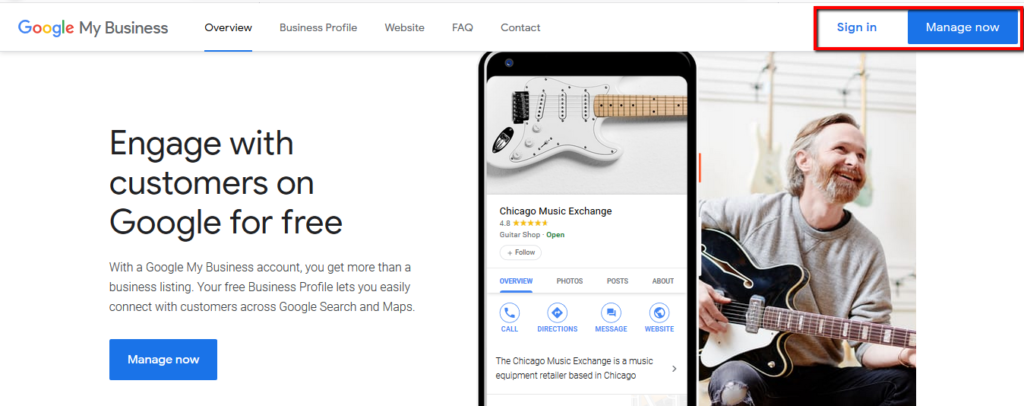
A) Set up your new google account or sign in, if you already have one.
B) Go to the web page Google My Business
C) Click On Manage Now and Enter Your Company Name on the next screen
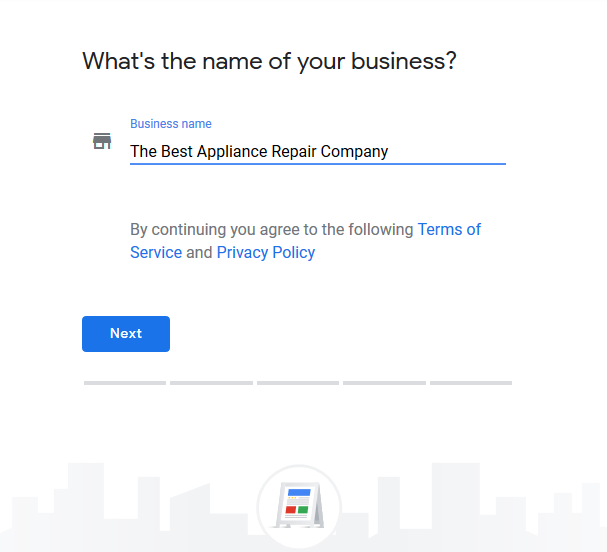
D) Select your business and add it.
E) If for some reason your business does not appear in the list, manually add your business, and provide the required information.
F) When entering the details, you must be sure on how you want your business to appear across the web. For instance, some people prefer using “Street” when writing their address while other may just use “St.”. So determine how you want your Name, Phone Number, and Address to appear. The address you choose will become your permanent address across the web.
G) When you manually add your business details, make sure you provide accurate and specific information for the details asked by Google. This will help in correctly classifying your hvac business or appliance repair business and displaying your listing.
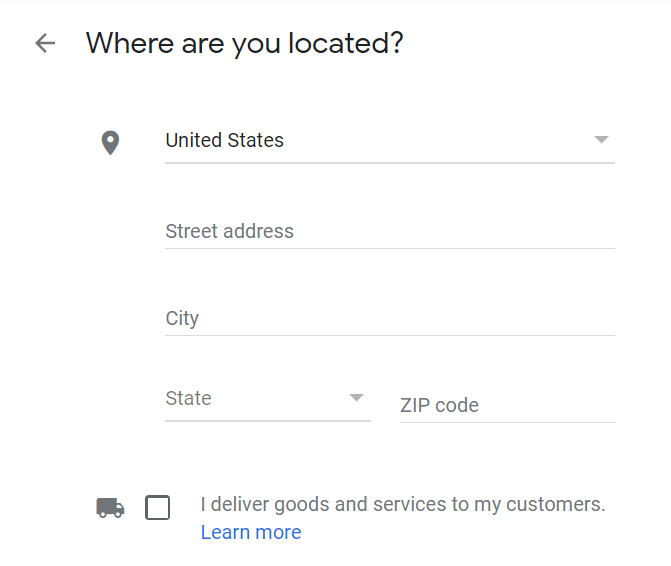
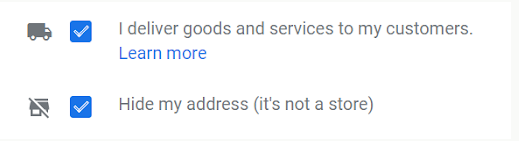
AC Repair Businesses and Appliance Repair Companies are considered by Google as a Service Area Business, since most appliance repair companies go to the customers house to perform the repair service. So go ahead and check the box where it says I Deliver Goods and Services To My Customers.
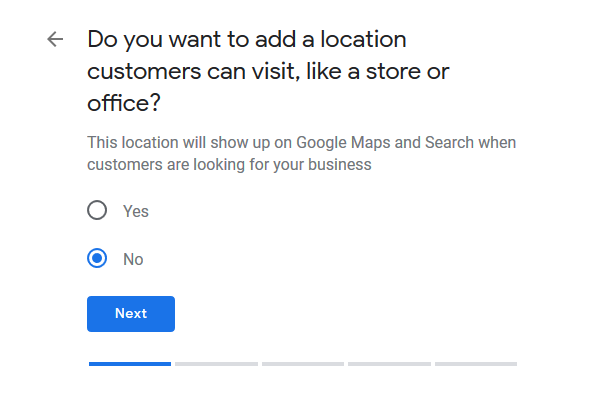
- If you do have a heating and cooling business or appliance repair shop where customers can bring in their appliances to be repaired at your business address, then enter your business address here, tick the box and click ‘Next’.
- If you don’t have an air conditioner repair business or appliance repair shop where customers can come to you, leave the address field blank, tick the box and then tick the option for ‘Hide my address (it’s not a store)’ box that appears below.
If you only offer in home service then you will have the option to specify a Service Area in the next step.
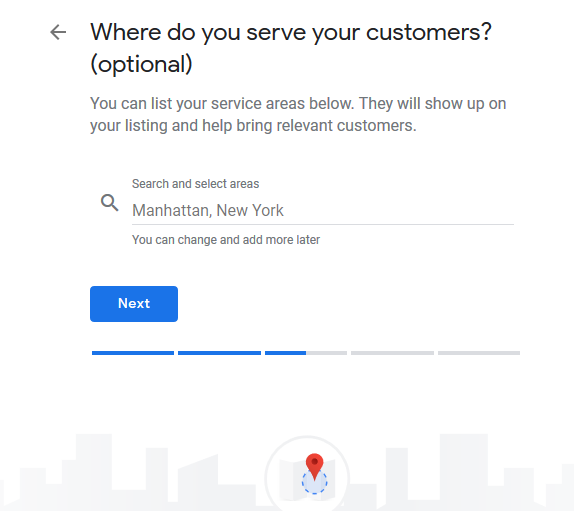
Specify Your Air Conditioning Repair Business or Appliance Repair Company’s Service Area
You’ll have to specify the locations you service, so that Google can accurately show your business listing for searches in your local service areas, even without a physical address. Enter counties, cities, and the ZIP codes that your ac repair company or appliance repair business services.
Selecting The Correct Category
When you enter your details, you will be asked to select a Category that describes your business. These categories are very important as they influence what keywords your air conditioner repair and appliance service business will show up for.
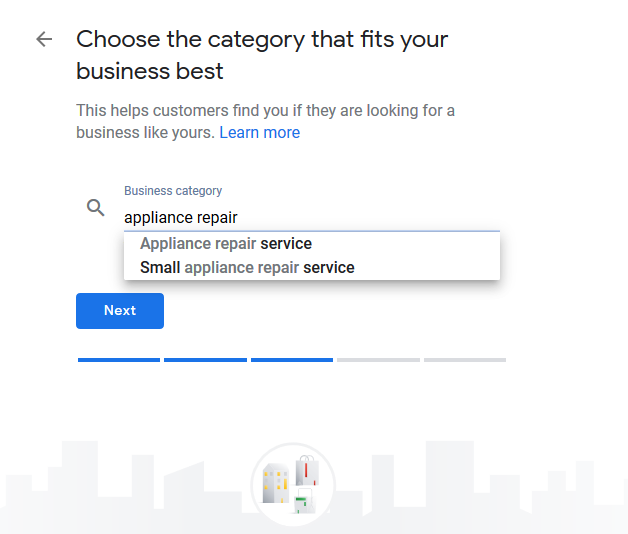
Google usually presets the keyword or Category for each industry. Just start typing HVAC Company or Appliance Repair and then select an option that best suits your business. You can add up to 5 categories that are related to your business.
Add your AC Repair Company website and phone number.
You don’t have to enter either of these, however, we strongly recommended that if you want to take full advantage of the Google My Business features like call tracking. If you ever need to change your business details when updating your Google business listing, make sure to also do the same changes to all other business listings, too, like your Yellow Page listing or Yelp listing.
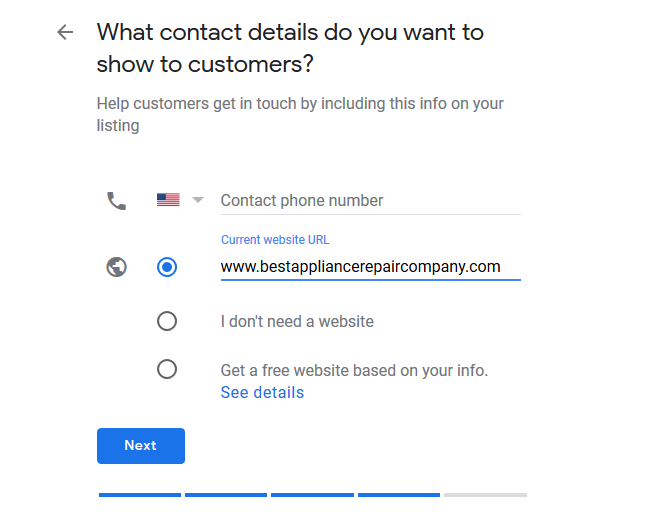
If you don’t already have an air conditioner repair or appliance repair website, Google does have an option, where you can create a new ‘Google Website’ which is populated with the information from your GMB Listing.
Verifying Your HVAC Business And Appliance Service Business
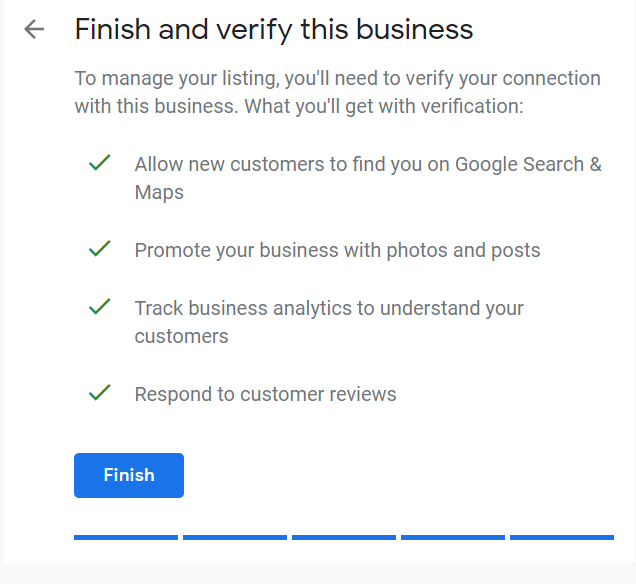
Google will need to verify that your heating and cooling company or appliance repair business is where you say it is, and you will have 3 options to verify your business:
Postcard verification. This is the most commonly used verification method. A verification postcard will be sent to your business address that you entered earlier in the set up process (it should reach you within 5 days). Once you get it, you should enter the code in your GMB account to verify your business. If your code doesn’t show up after 5 days, you can click the ‘Request another code’ button at the top of the screen in your GMB listing.
Phone verification. Depending on where you are located, you may have the option to verify your listing over the phone. You’ll see an option to ‘Verify by phone’ if your business is eligible at the beginning of the GMB verification process. Using this phone verification process, you’ll receive an automated message, that will give you a verification code, that you’ll then need to enter into GMB.
Email verification. Just like the telephone verification option, this is available to all air conditioning repair and appliance service businesses, and you’ll know you are eligible for it if you see the option that says ‘Verify by email’ . Google will email you the verification code to the Gmail address associated with your GMB.
Next Steps:
Once you have a verified Google My Business Listing, does that mean you will start getting air conditioning repair and appliance repair leads?
NO… Unless you service a very small town then the answer would be yes, but if you service an area where you have a lot of competition, then there are some additional steps that need to be taken to get your GMB to show up in the top 3 spots of the Google Map section of the search engine, this process is what we refer to as Google Business Profile Optimization.
Now it’s time to do the following:
- Add videos and photos to your GMB listing
- Get a business description written that is optimized with the most popular hvac company or appliance repair keywords.
- Google My Business now has a Question and Answer section, use this section to better understand your local customers
- Start creating Google My Business Posts on a regular basis, you can use them for offers, coupons and promotions or to showcase your latest article from your website.
- Add additional services that you offer
- Ask your most loyal customers to ‘Follow’ your ac repair company or appliance repair company on Google Maps
- Start asking for and managing your Google Reviews
- Download and Use the Google My Business app to:
- Update your description, contact details, location and business hours.
- Post pictures and status
- View your local search insights
- Start getting familiar with Google My Business Insights, to learn things like:
- How many local consumers visit your website
- How many consumers wanted driving directions
- How many consumers actually called from your GMB listing
- How many people are viewing the photos of your air conditioner repair and appliance service business
Additional Links & Google Maps Training Resources
Advanced Google Maps Optimization Strategies – In this article, we discuss more of the advanced strategies and techniques for getting your air conditioning repair business or appliance repair company listing moving up in the Google Map rankings. Most Google Maps training available on the market is just basic information about claiming your Google Maps listing and establishing your N.A.P (name, address, phone number profile), but if you want to dive deeper, we’ll show you some advanced steps.